uqudo
Streamlining Identity Verification Through a Smarter KYC Flow
Improved the end-to-end verification flow across web and mobile SDKs, reducing friction in document scanning, NFC, and facial verification to boost user trust and completion rates.

Project Overview
I led the UX redesign of uqudo’s KYC enrolment journey across both web and mobile SDKs, focusing on optimising the most critical and friction-prone verification steps: ID scanning, NFC, and face capture. The goal was to create a faster, more intuitive flow that supports users from diverse technical and cultural backgrounds. By conducting a UX audit, analysing competitors, and testing with real users, I introduced improvements that made the experience more predictable, inclusive, and conversion-friendly.
Status
Shipped
Role
Lead Product Designer
Year
May 2024 – Nov 2024
Product & Audience
B2B Identity & Security
Skills
Product Design
Mobile Apps
Design Systems
Final Solution
We successfully streamlined uqudo’s KYC flow with a faster, clearer, and more inclusive experience across web and mobile SDKs.
Highlights
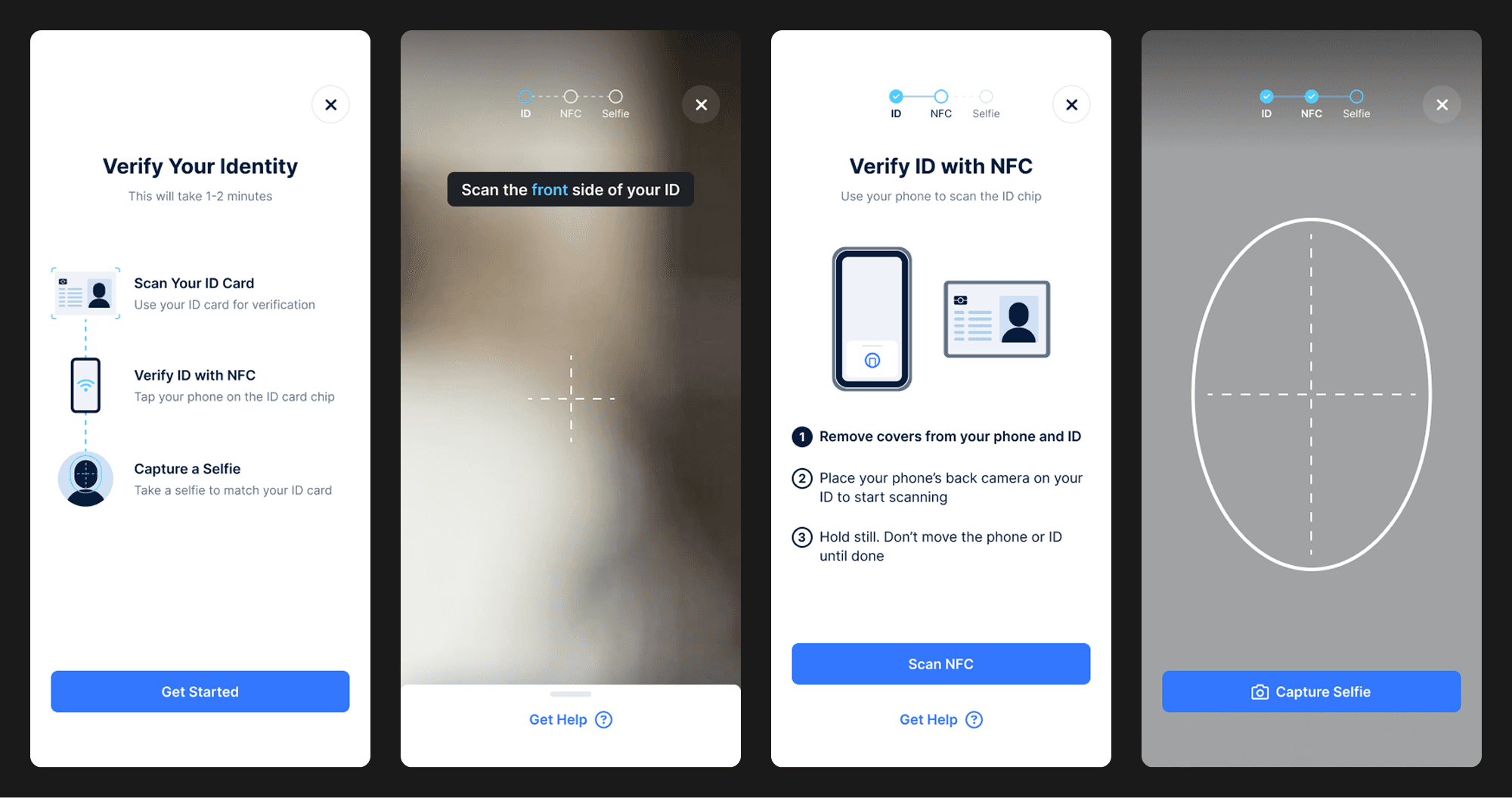
A focused UX overhaul of the KYC process, streamlining document, NFC, and facial verification into a seamless, SDK-friendly journey across mobile and web platforms.
Understanding the Problem
The original KYC enrolment flow was difficult to navigate, especially during NFC and facial verification steps. Unclear instructions, inconsistent UI patterns, and low error recovery were leading to drop-offs and failed verifications, particularly on mobile devices. I was brought in to audit, redesign, and refine the experience across platforms.
Key Challenges
Unclear instructions during ID, NFC, and face verification
High drop-off rates in NFC and document scanning steps
Limited optimisation for mobile SDK flows
Cultural barriers during face verification (e.g. scarves, lighting)
Research & Insights
Competitor Analysis
I reviewed top KYC platforms like Onfido, Persona, and Sumsub to evaluate their:
UX patterns for onboarding and guidance
Strengths and weaknesses in NFC and ID flows
Visual cues and accessibility in error handling

Product Audit
I conducted a full UX audit of uqudo’s web and mobile SDKs, identifying:
Friction points in the enrolment journey
Unclear messaging during key steps
Opportunities for onboarding and error-state improvement

User Research
I gathered insights through interviews and surveys with real users:
First-time applicants needed simple, step-by-step guidance
Repeat users wanted speed and less repetition
Regional users required culturally aware guidance and localisation
These learnings shaped how we balanced clarity with flexibility.

Personas
Two primary personas were defined:
First-time Users – Need visual guidance and reassurance throughout
Experienced Users – Prefer minimal prompts and quicker flows
The final flow supports both paths with adaptive language and layout choices.
Wireframes & Content Strategy
I focused on refining friction-heavy parts of the journey:
Welcome Screen to set expectations
Inline help and contextual prompts
Real-time error states for clearer recovery
Microcopy improvements to reduce ambiguity
Wireframes were tested and iterated before transitioning to high fidelity.

Qualitative Testing
User testing was conducted to validate the redesigned flow and uncover areas for improvement. Feedback was grouped into key themes:
Positive feedback on structure, guidance, and help sections
Frustrations around NFC complexity and error messaging
Suggestions for improving onboarding, branding, and timing
Insights informed the final designs and accessibility choices
The image below showcases a full breakdown of usability findings.

Core Design Values
Clarity – Clear instructions at every step
Efficiency – Speed and focus, especially during NFC and scanning
Trust – Visual and functional cues to build user confidence
These values shaped interaction patterns, tone of voice, and layout structure.
Final Designs & Key Screens
Welcome Screen
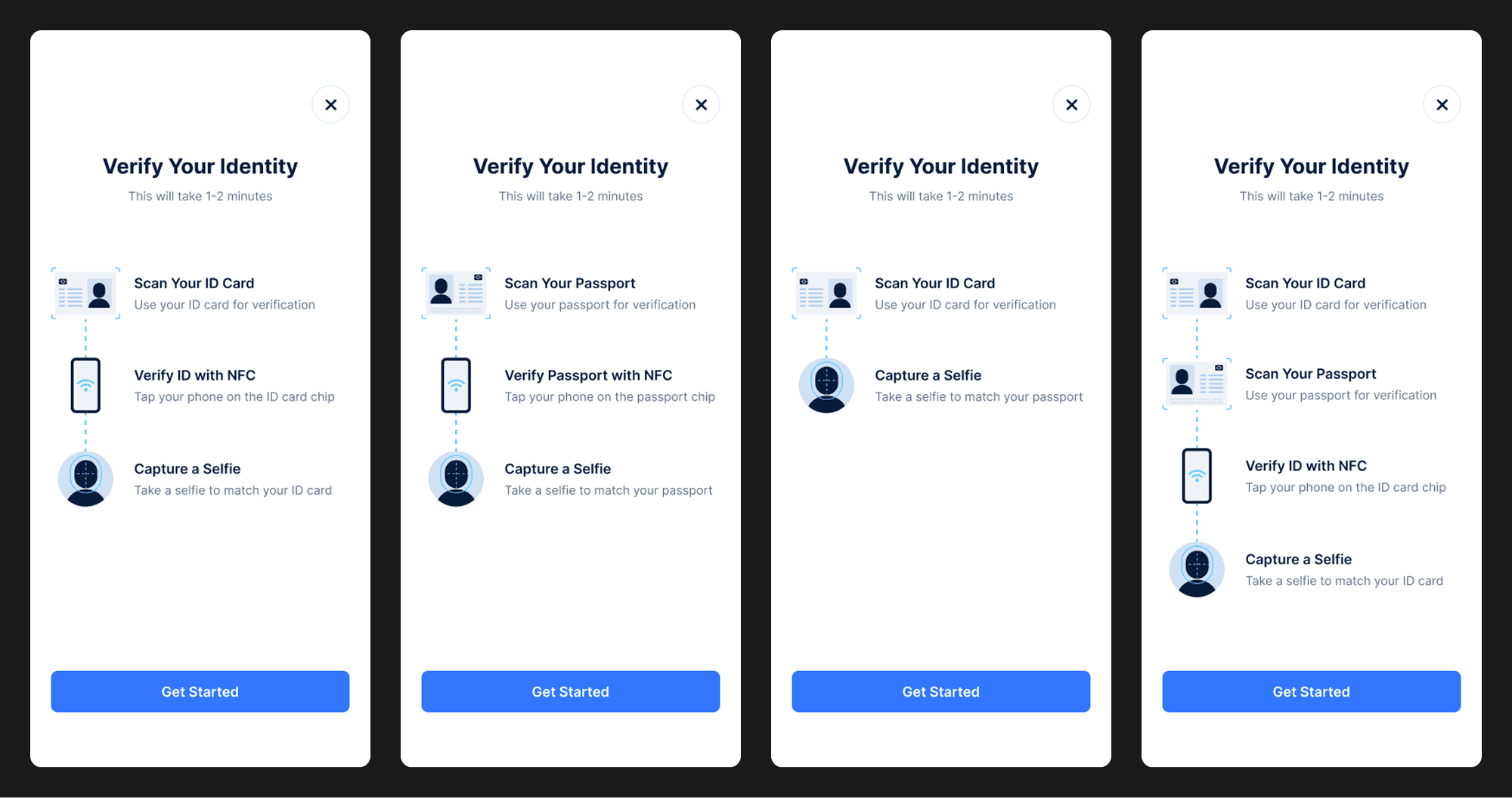
The Welcome Screen sets clear expectations by outlining each verification step up front. Variants were designed to support different ID types and step combinations based on the client’s KYC configuration.
Dynamic step order based on whether users are scanning an ID card or passport
Flexible logic adapts to different client flows and KYC requirements
Time estimate reassures users with a quick “1–2 minute” completion window
Confident entry point with a bold “Get Started” CTA to reduce hesitation
Document Capture
The Document Capture screen guides users through scanning their ID with live visual feedback and smart error handling. It helps reduce failed attempts by highlighting common mistakes in real time.
Live preview with detection zones to guide alignment
Tips for lighting and positioning reduce scan failure
Real-time error detection for glare, distance, and blur
In-flow help lets users fix mistakes without leaving the process

NFC Scan
The NFC Scan flow was redesigned to improve success rates through step-by-step guidance and interactive troubleshooting, helping users resolve common issues without leaving the flow.
Step-by-step guide explains how to position the phone over the ID chip
Real-time error feedback helps users fix failed or interrupted scans
Troubleshooting tips reduce confusion with visuals and common fixes
Help overlay accessible anytime without exiting the flow

Facial Verification
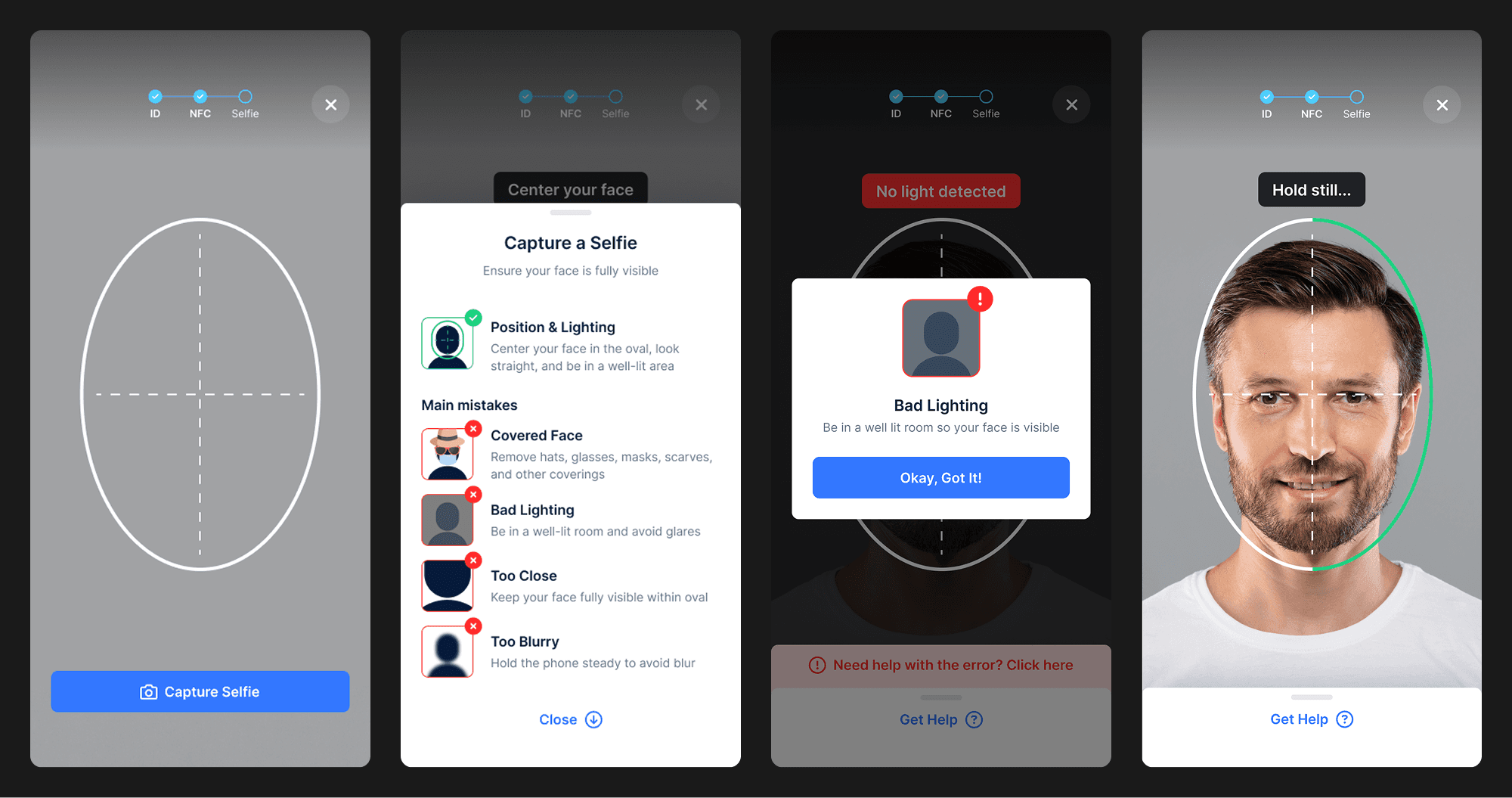
The Facial Verification screen ensures users capture a clear and accurate selfie with the help of real-time guidance, error handling, and framing tools. The flow was also designed with cultural sensitivity in mind to support diverse user needs.
Face alignment guide helps users centre their face within the oval
Lighting checks improve clarity and reduce scan failure
Inclusive tips for users wearing head coverings like burqas or scarves
Error guidance offers fixes without restarting the flow
Key Takeaways & Learnings
Usability testing early helped uncover key friction points and validate design changes
Designing for diverse user needs (such as head coverings) reinforced the value of inclusive UX
Small UX tweaks, like adding help tips or previewing steps, can massively improve completion rates
Working with real users highlighted the importance of iterative design and testing