Invenda
Building a Scalable CMS for the Future of Automated Retail
Led the end-to-end redesign of Invenda’s CMS, creating a modern, scalable, and intuitive system that empowered operators, business owners, and field technicians to manage smart vending machines more efficiently across desktop and mobile.
Project Overview
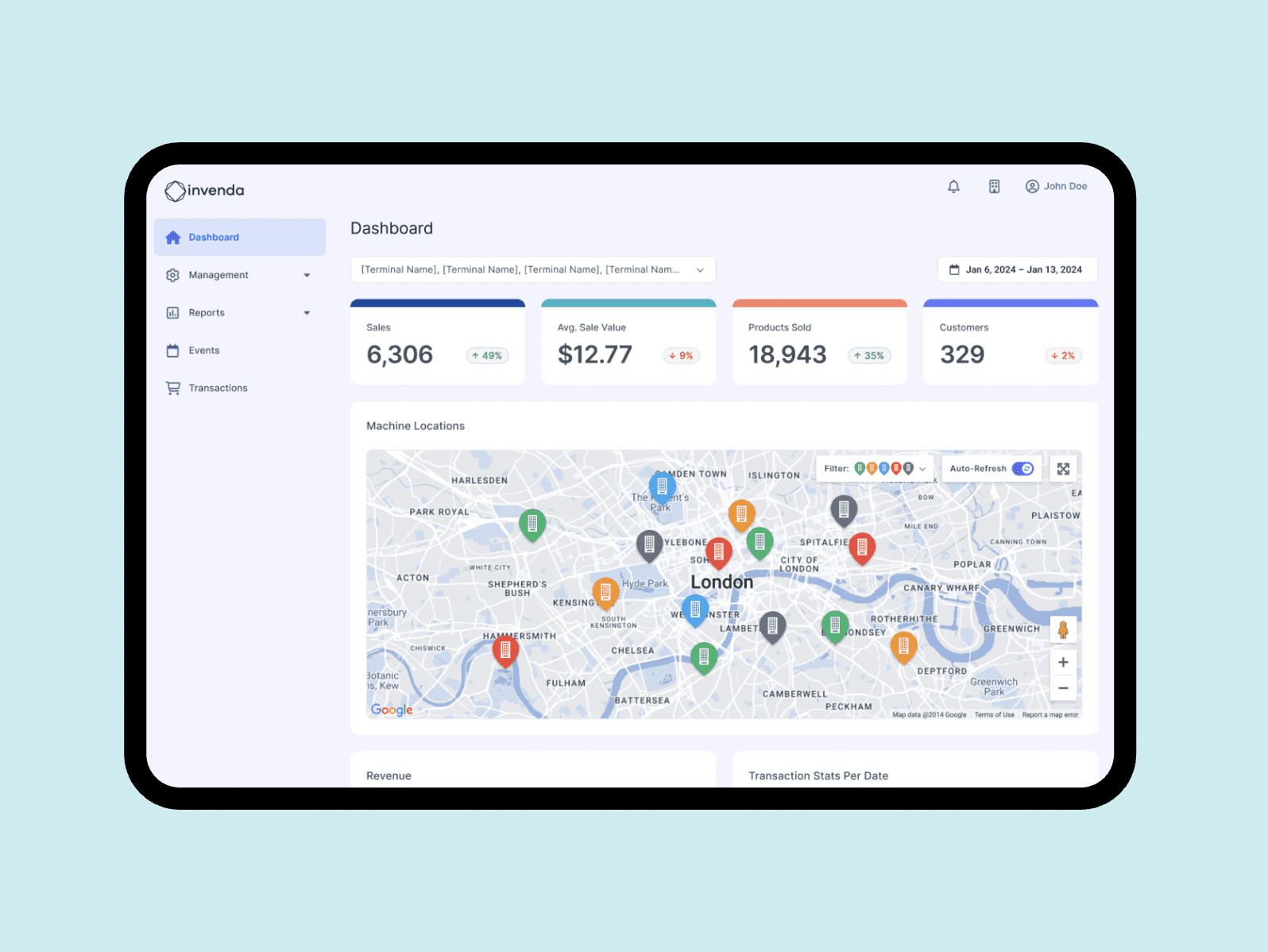
Invenda powers an ecosystem of smart, connected vending machines. I was responsible for redesigning the internal Content Management System (CMS) that allowed operators to manage devices, monitor performance, and adjust settings. The existing CMS was outdated, cluttered, and hard to use. I rebuilt the system from the ground up using Material Design 3, introducing a modern, responsive interface that served multiple user types — from office-based operators to field technicians on the go.
Status
Shipped
Role
Design Manager
Year
Sep 2023 – Jun 2025
Product & Audience
B2B IoT & Smart Retail
Skills
Product Design
Web & Mobile Apps
Design Systems
Final Solution
We successfully modernised Invenda’s CMS with a flexible, intuitive, and mobile-friendly interface that improved usability, operational efficiency, and maintainability.
Highlights
A full redesign of Invenda’s CMS, optimised for performance and usability across multiple user roles — from business owners to technicians.


Understanding the Problem
The existing CMS for managing Invenda’s smart vending machines was difficult to navigate, visually outdated, and lacked flexibility — particularly for mobile use. Operators struggled with bulk actions, field technicians found it unusable on-site, and stakeholders had limited visibility into performance data.
Key Challenges
Cluttered UI with poor navigation and inconsistent hierarchy
Limited ability to manage multiple terminals simultaneously
Lack of mobile support for field technicians
Built on outdated Material Design 2 components
Research & Insights
Competitor Analysis
I reviewed CMS platforms from companies such as Mother, Boost Inc (Aeguana), and Televend. These systems offered better device monitoring, reporting tools, and cleaner interfaces — highlighting the gaps in Invenda’s offering.

Product Assessment
I conducted an audit of the existing CMS through:
Desk research of system structure and user flows
Interviews with internal stakeholders
Mapping out current user journeys to identify friction points
These insights helped shape the foundation for the redesign.

Defining the Users
I defined three core personas to represent our users:
Operators – Manage multiple terminals through the CMS
Business Owners – Oversee network performance and profitability
Field Technicians – Perform maintenance and restocking on location (mobile-first)
Wireframes & Prioritisation
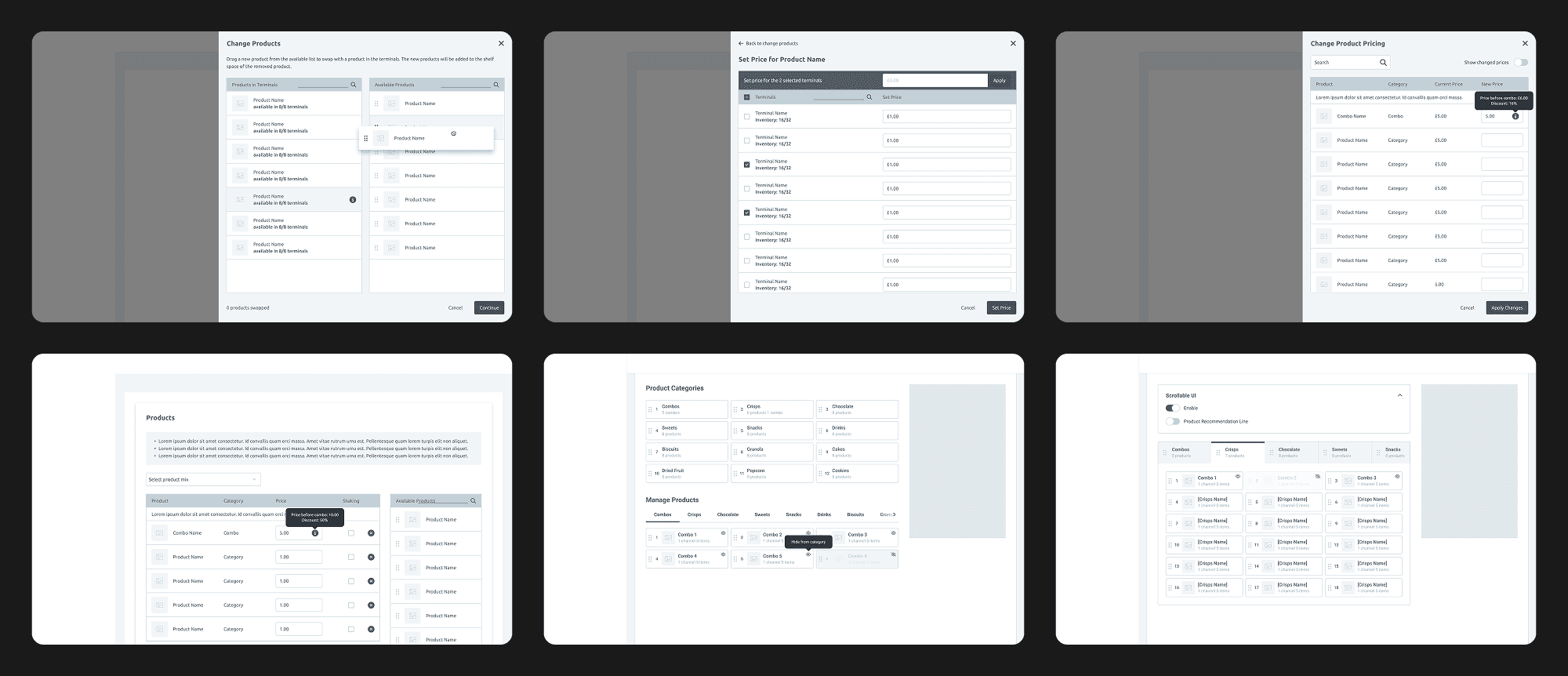
We focused first on two high-impact features:
Bulk Actions – Edit products and pricing across terminals simultaneously
Combo Item Management – Create bundled offerings to drive upsell
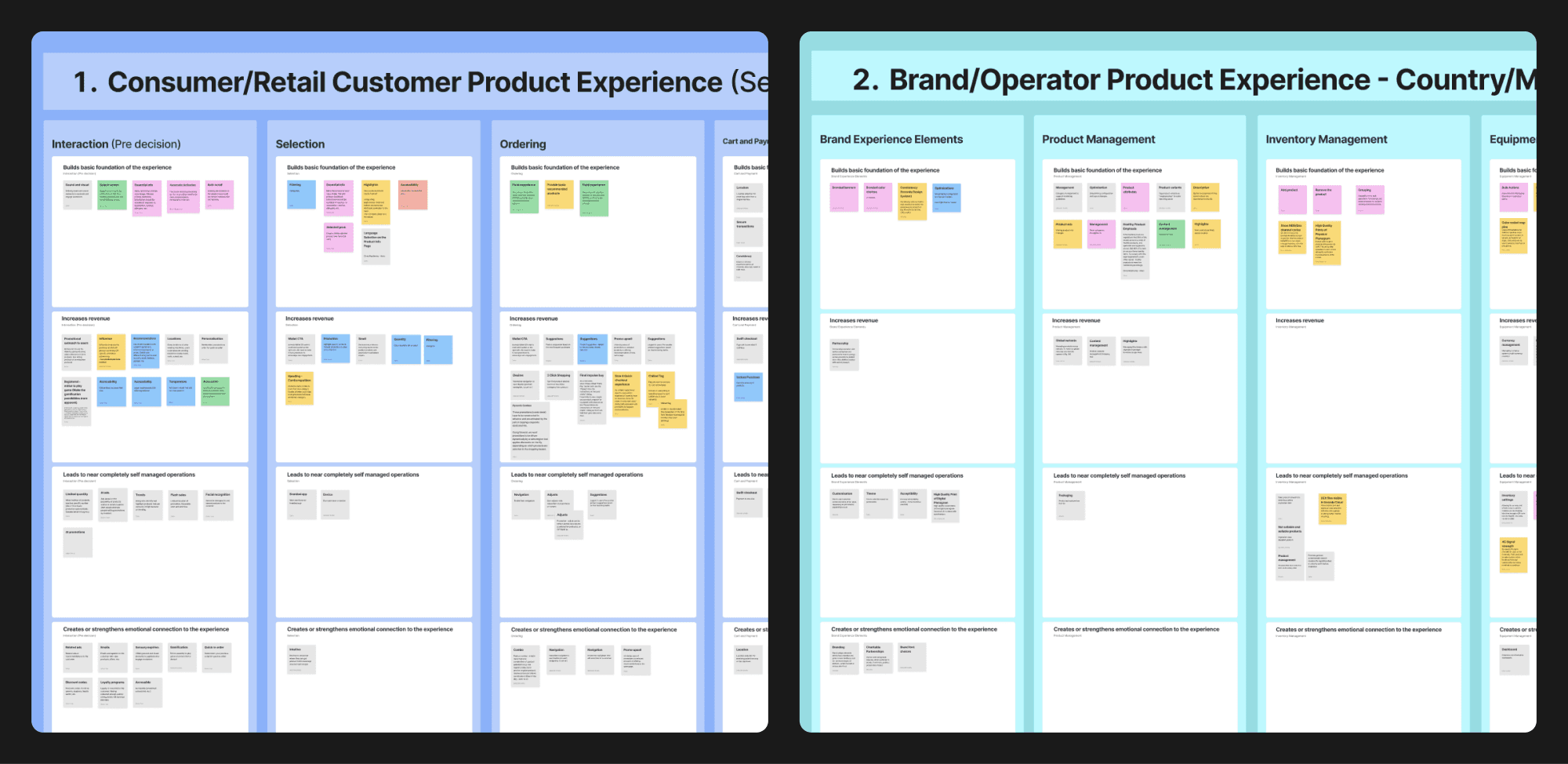
These were wireframed in low fidelity, tested with internal users, and refined before expanding to the wider CMS.
User Testing & Iteration
I developed low-fidelity prototypes and ran qualitative tests with regular CMS users to validate early design directions.
Key feedback themes:
Simplified navigation and improved overview screens
Workflow confusion in less frequently used features
Suggestions around mobile layout and product editing
Friction points in combo item setup and filtering
This feedback informed further iterations and helped shape the high-fidelity designs.
Core Design Decisions
Design System Upgrade
We transitioned the CMS from Material Design 2 to Material Design 3, which improved:
Component consistency and accessibility
Brand alignment with a modern blue theme
Developer velocity via modular, scalable design patterns

Mobile-First Approach
Knowing that Field Technicians often work in the field, we:
Rebuilt the interface for mobile responsiveness
Introduced streamlined terminal overviews
Optimised the refilling workflow to reduce errors and speed up shelf restocking
Final Designs & Key Screens
Dashboard
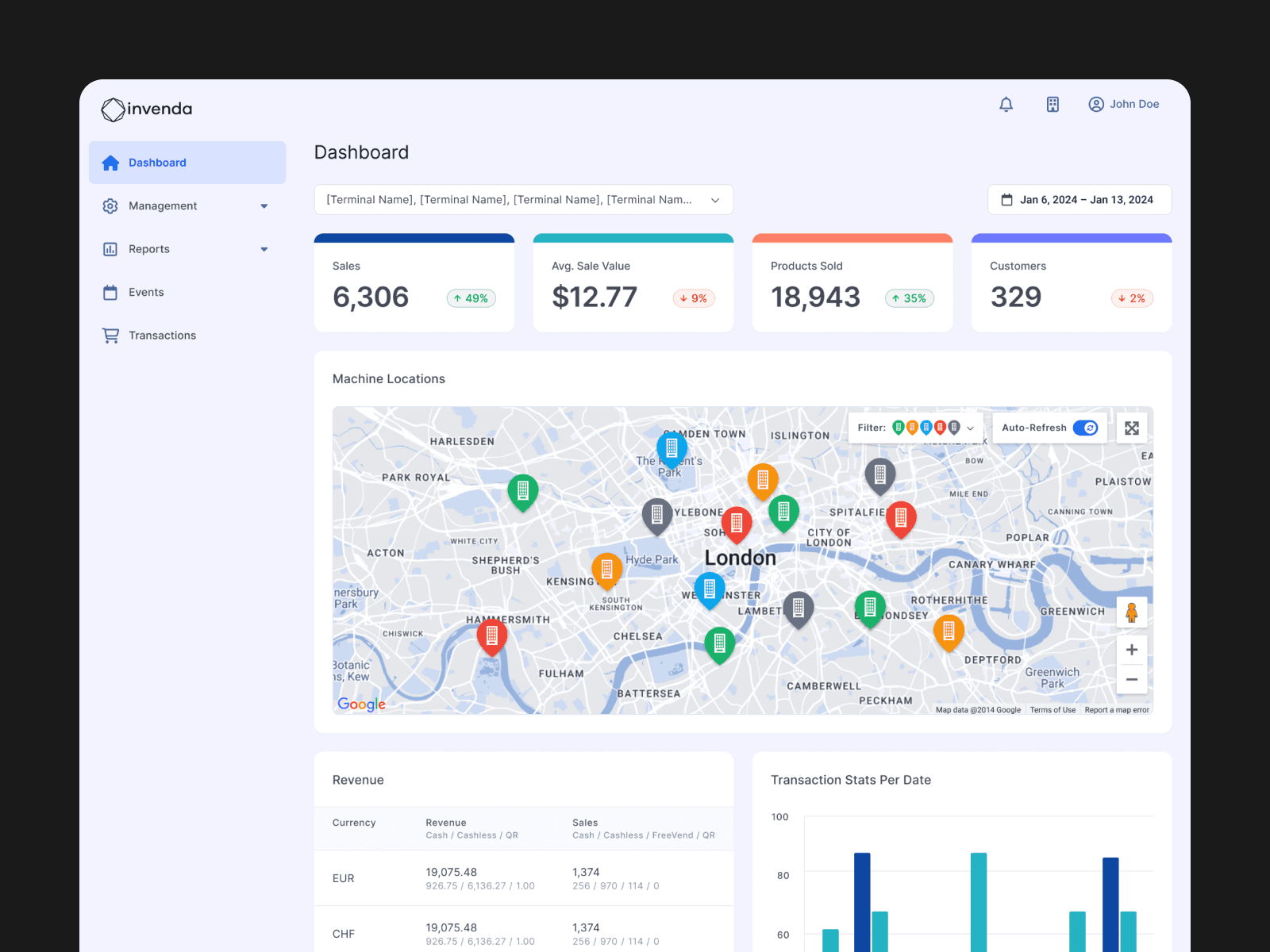
The redesigned dashboard serves as the command centre for operators and stakeholders, delivering clear insights into machine performance, customer activity, and overall sales — all in one place.
Live machine map showing terminal locations and statuses
Real-time sales metrics including revenue, AOV, and product volume
Performance visualisations for transactions, product sales, and trends
Machine health monitoring across informational, warning, and critical states

Terminals Management
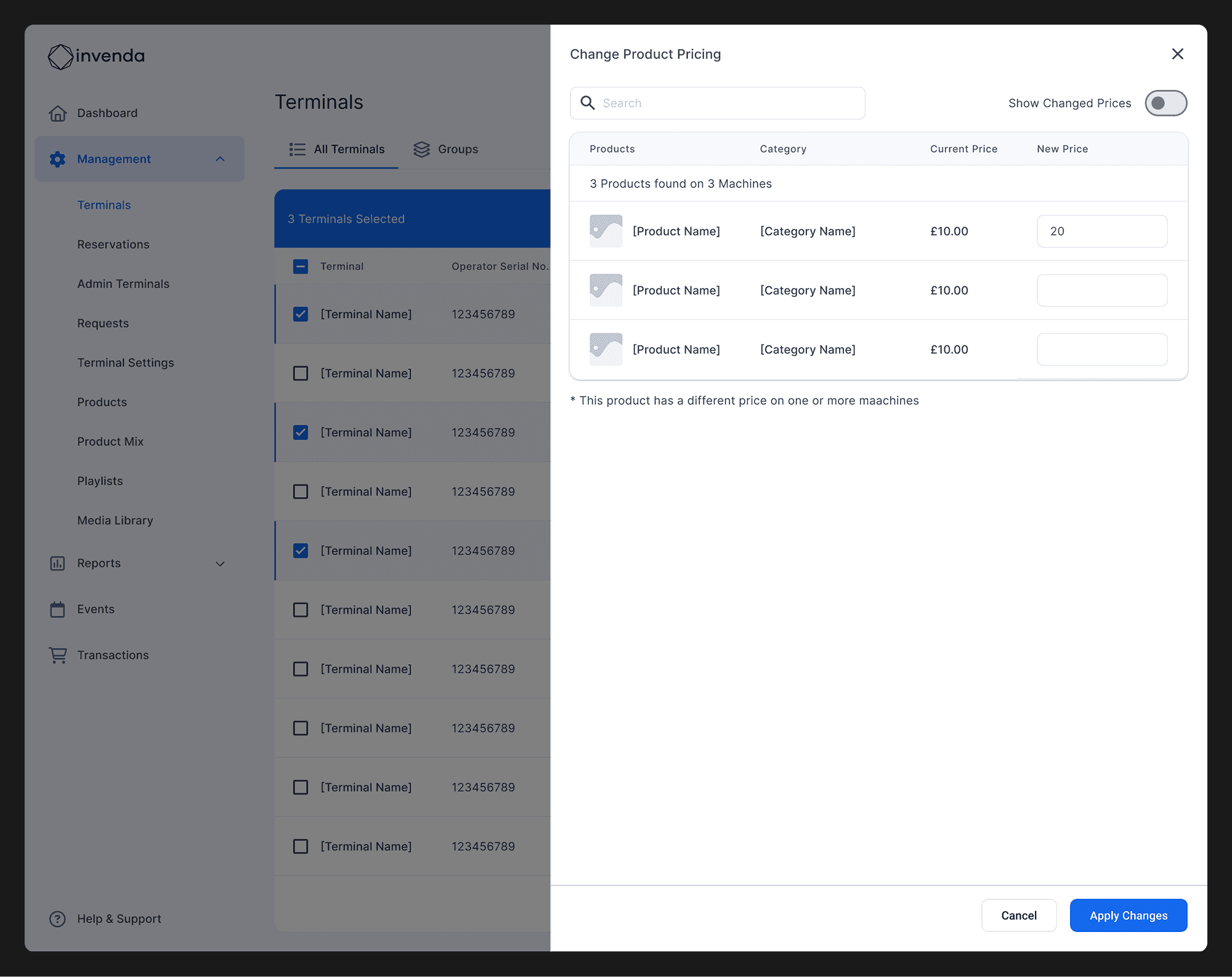
This section allows operators to view, manage, and update their vending machines efficiently — from individual status monitoring to powerful bulk editing tools. I focused on simplifying high-frequency tasks while supporting operations at scale across hundreds of terminals.
Terminal list with detailed metadata and status indicators for each machine
Bulk actions with multi-select capabilities for updating products or pricing
Product swapping interface to update inventory across terminals
Pricing editor for adjusting product prices in bulk with full control


Terminal Details
This section offers a deep dive into the status and performance of individual vending terminals. Operators can access technical diagnostics, refill activity, inventory levels, and overall usage — all structured within a single, intuitive layout.
Terminal Status – View last reported status, network uptime, temperature, and refill logs
Inventory – Monitor product-level stock levels, refill state, and shelf configuration
Reports – Access transaction data, sales breakdowns, and combo performance
Usage – Understand machine uptime vs downtime and key error stats


Terminal Settings
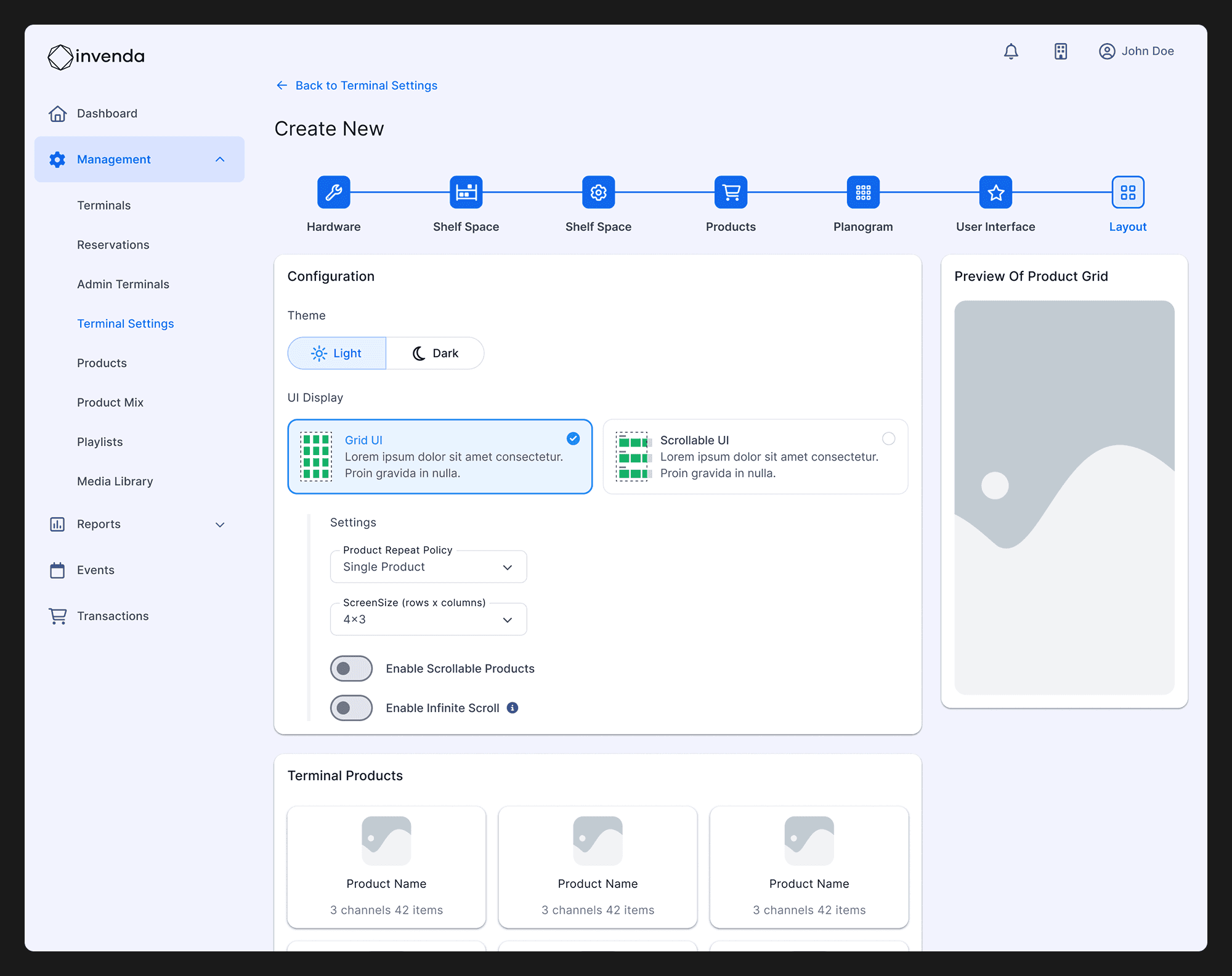
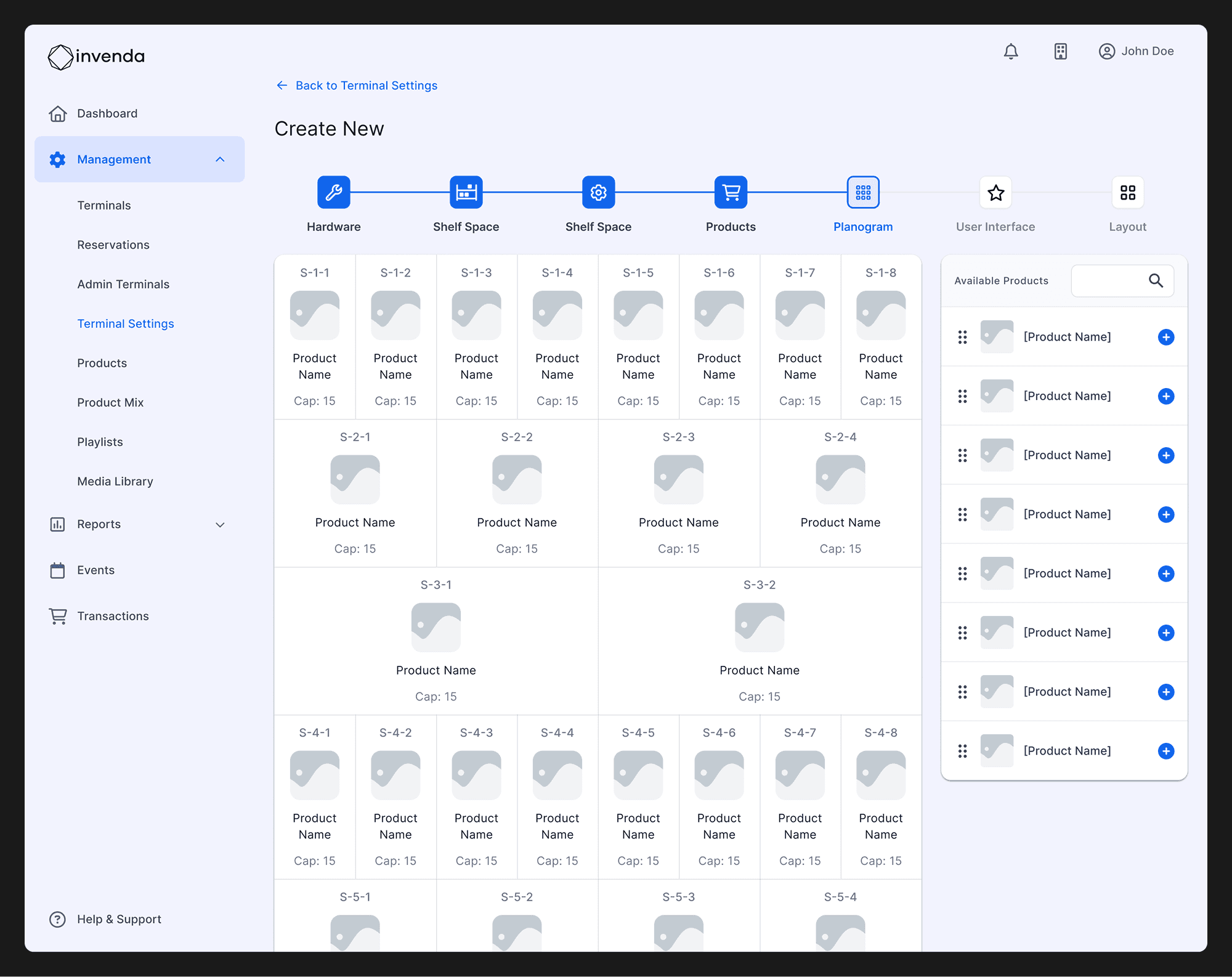
This section provides powerful tools to customise and fine-tune each vending terminal’s hardware, stock layout, and customer interface. Operators gain complete control over setup and configuration, ensuring every terminal fits its physical and operational context.
Hardware – Configure coin devices, temperature sensors, and connectivity
Shelf Space – Define shelf height, width, and product slot availability
Planogram – Assign products to shelf locations across multiple terminals
Layout – Adjust the user interface and experience per machine


Mobile Experience
I redesigned the mobile interface to empower field technicians with a lightweight yet powerful tool for managing terminals on-site. The mobile view surfaces only what matters most — real-time terminal health, stock levels, and refill actions — all optimised for quick interaction and visibility on smaller screens.
Terminal overview with real-time service status, stock %, and location
Inventory tracking with visual fill indicators and missing product alerts
Refill tools for fast stock adjustments directly from the keypad
Smart filters by shelf, product, category, or price for quick access

Key Takeaways & Learnings
Start small, scale fast – Focusing on high-impact areas built momentum for full rollout
Mobile-first really means mobile-first – Designing with real-world usage in mind made a measurable difference
A flexible design system pays off – Material 3 enabled consistency, speed, and easier dev collaboration